What matters when buying Desktop Pc
Performance Specifications
When selecting a desktop PC, performance specifications are crucial. The processor (CPU) is a primary consideration, influencing the overall speed and capability of the machine. Processors come in various tiers, such as Intel Core i3, i5, i7, or i9, and AMD Ryzen equivalents. Higher-end models typically offer better performance for demanding tasks like gaming or content creation.
Another important factor is the amount and type of RAM. Most desktops come with either 8GB, 16GB, or 32GB of RAM. Sufficient RAM ensures smooth multitasking and efficient performance while running multiple applications. For gaming or heavy software use, opting for higher RAM capacity can be beneficial.
Storage options also vary significantly. Solid State Drives (SSD) provide faster data access speeds compared to traditional Hard Disk Drives (HDD). A larger SSD (like 1TB or more) can enhance performance while offering ample space for files and applications. Consider whether a single drive suffices or if a combination of SSD and HDD is preferable for additional storage needs.
Graphics Capability
The graphics card (GPU) is another critical component, particularly for gaming, video editing, and graphic design. Integrated graphics are adequate for basic tasks, but dedicated graphics cards, such as NVIDIA or AMD models, are essential for more intensive graphical applications. The choice of GPU should reflect the intended use of the desktop, with higher-end models available for serious gamers or professionals working with graphics-heavy software.
Ensure compatibility of the GPU with the motherboard and other components. Additionally, consider future-proofing; selecting a more powerful GPU can extend the lifespan of the desktop by accommodating upcoming software and gaming demands.
Form Factor and Design
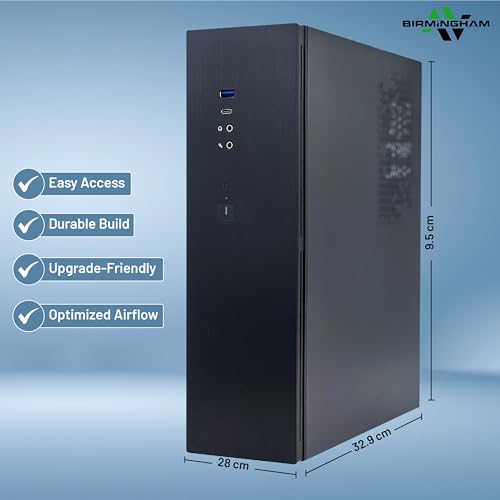
The form factor can influence both aesthetics and functionality. Desktops are available in various designs, including traditional towers, compact mini PCs, and all-in-one systems. Tower PCs generally offer greater upgrade potential and better cooling, while all-in-one PCs save space and are often more visually appealing. Mini PCs can be a good choice for users with limited desk space but may offer fewer upgrade options.
Consider the layout of the workspace when choosing a form factor. Ensure there is sufficient space for the desktop and any peripherals, such as monitors and keyboards. Look for designs that facilitate easy access to ports and connections, as this can enhance user experience.
Connectivity and Additional Features
Connectivity options should be evaluated based on individual needs. Most desktops come with several USB ports, HDMI, and audio inputs. Additionally, consider the availability of newer technologies, such as Thunderbolt and Wi-Fi 6 or 7, which can provide faster data transfer rates and improved wireless connectivity.
Other features, such as built-in webcams, integrated audio, and various expansion slots, can also impact usability. If the desktop will be used for video conferencing, a quality webcam and microphone may be necessary. Furthermore, evaluating the operating system is important; options typically include Windows 11 or other systems depending on preferences and requirements.